
Top examples of smarter search using Monocle for Squarespace
There's this common idea that Squarespace's built-in search is just... okay. It works for a small site, sure, but as your blog, portfolio, or store grows, visitors start to get lost. It's frustrating for them and for you.
That's why a powerful search tool is so important for a professional Squarespace site. The best ones don't rely on the default search. Instead, they use a powerful plugin called Monocle for Squarespace, the secret to a seamless and professional user experience. Here are a few examples of websites that prove you can build a successful business on Squarespace with the right tools.
The ultimate Proof of trust: Squarespace Circle
Perhaps the strongest testament to Monocle’s reliability is that even the experts at Squarespace Circle blog - the official community for creative professionals—have moved away from the default Squarespace search.
The Squarespace Circle Blog now officially uses Monocle to power its search functionality. This is a significant milestone: when the very platform that built the default search chooses a third-party plugin for its own professional community hub, it proves that Monocle is the mature, trusted, and gold-standard solution for high-traffic, content-heavy websites. Monocle is not a default setting; it is a conscious upgrade chosen by those who know the platform best.
The Examples
1. Squarespace Circle Blog (New!)
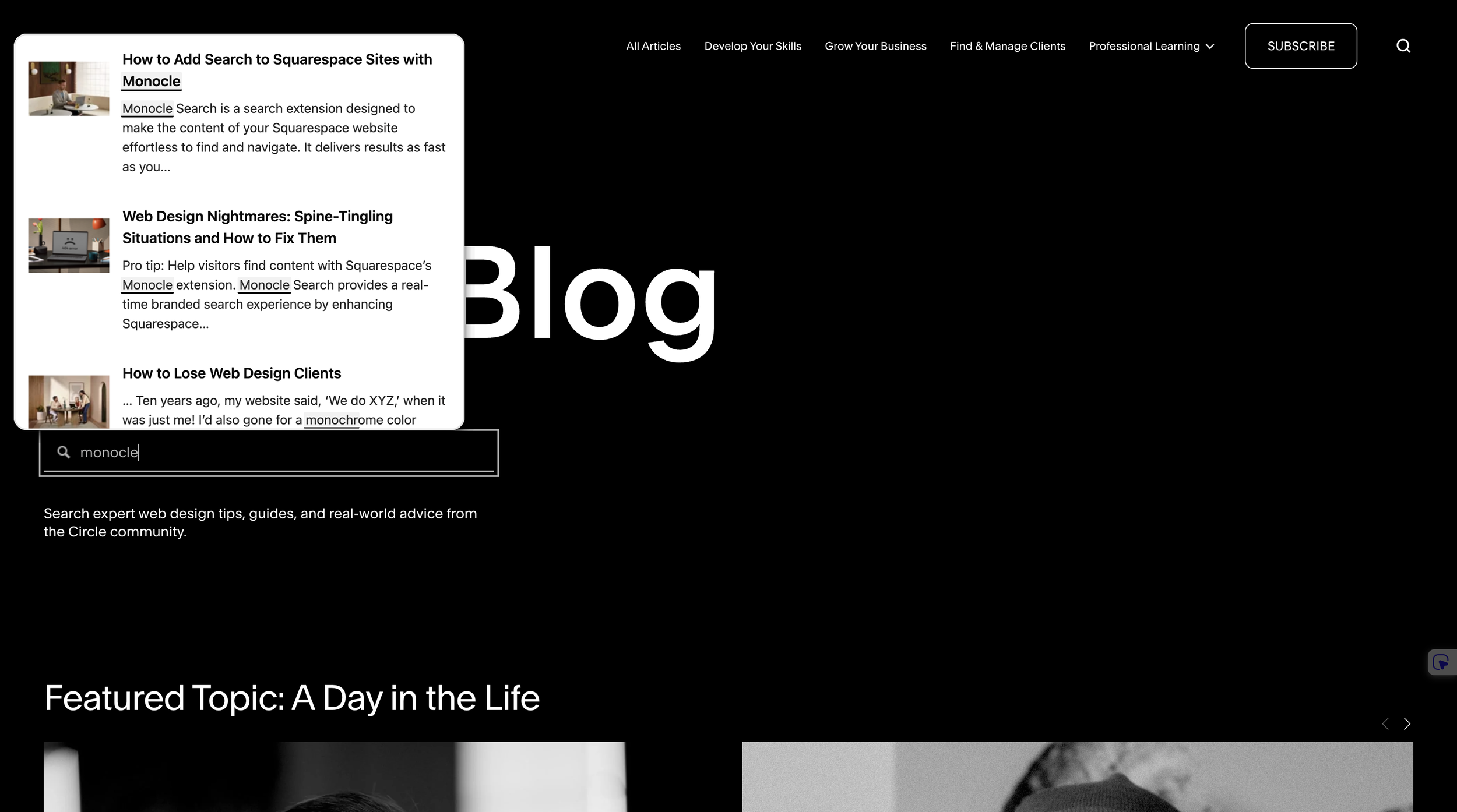
As mentioned, the official hub for Squarespace experts now relies on Monocle. By implementing this "smarter search," the Circle blog allows thousands of designers and developers to pinpoint specific tutorials and updates instantly. It handles complex queries across years of archived content with a speed and accuracy that the built-in tool simply cannot match. If it’s trusted to represent the Squarespace brand to its most advanced users, it’s ready for your business too.
2. Dramface
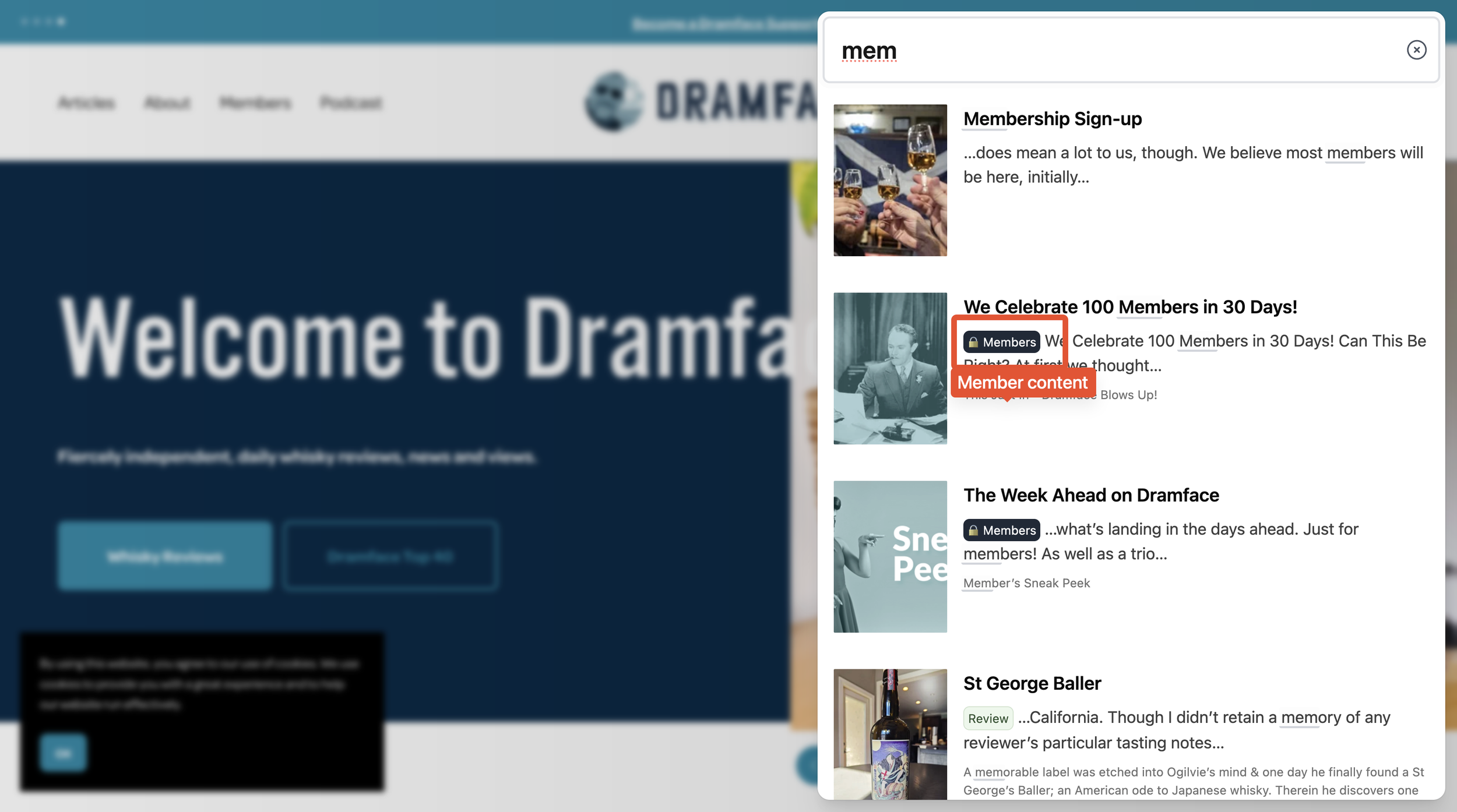
Running a successful membership site or paywalled content like Dramface.com requires a delicate balance: you need to attract new subscribers without giving away the farm. That's where a tool like Monocle shines: It’s designed to let visitors preview exclusive member-only content in search widget
This is a must-have feature for a site like Dramface, where the content is the core product. A visitor gets a glimpse of their exclusive, expertly written articles, enticing them to sign up to read the full piece. At the same time, existing members can easily find and access premium content, ensuring a seamless user experience that keeps them coming back. In essence, Monocle allows Dramface to use its most valuable content to market itself, while still preserving the exclusivity that its community pays for.
3. Lear Center
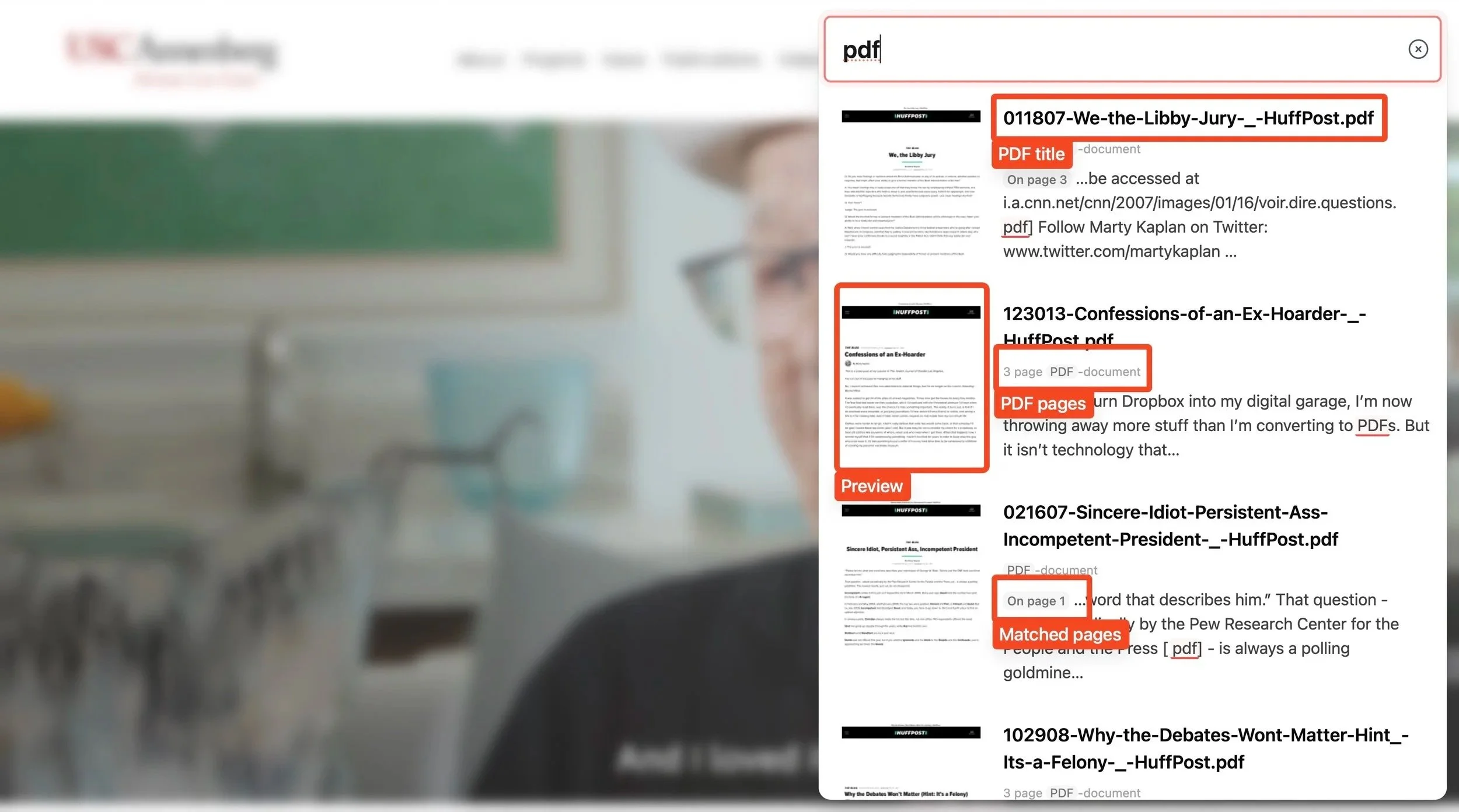
I love the way the team behind this site has set up their search. They have plenty of PDFs that get indexed and are fully searchable, which is amazing for a research-heavy site.
Not only do the search results clearly label the content as a PDF, they also include a preview and highlight "Matched pages" within the document, showing exactly where the search term was found. It’s a perfect example of using a smart tool to make your content work harder for you.
4. Quality Care for Children
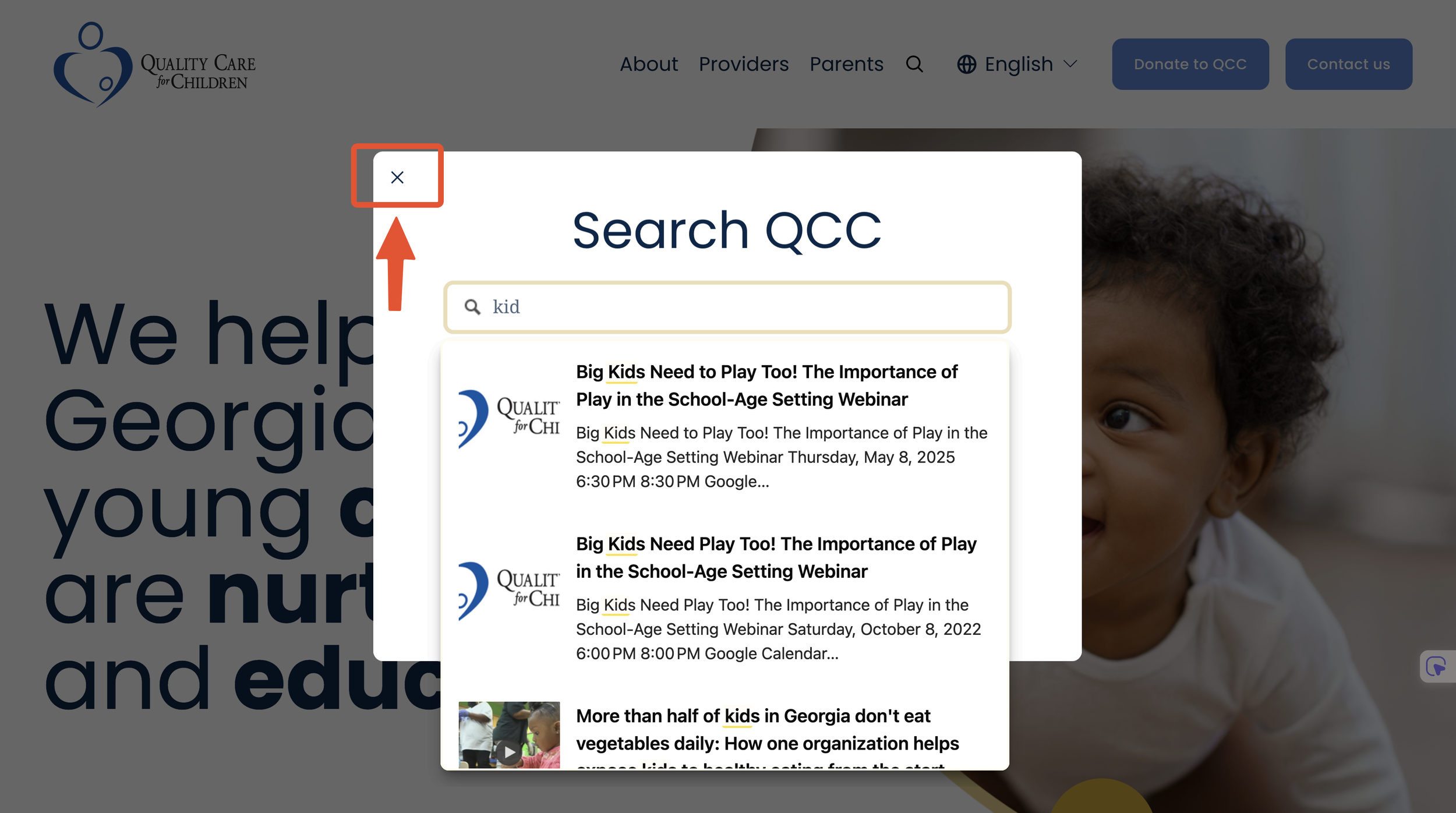
The site for Quality Care for Children offers a creative and effective way to implement a search bar. Instead of the usual search panel on the right edge, they've set up a custom search modal that's bound to a standard Squarespace search block. This was made possible with a custom plugin from Will-Myers.com.
This approach works seamlessly because Monocle can be configured to work with any standard Squarespace Search block - all you have to do is turn the "Quick Preview" setting off. It's a perfect example of how you can use a simple, integrated method to create a standout search experience that's both functional and beautifully designed.
5. Mashup Math
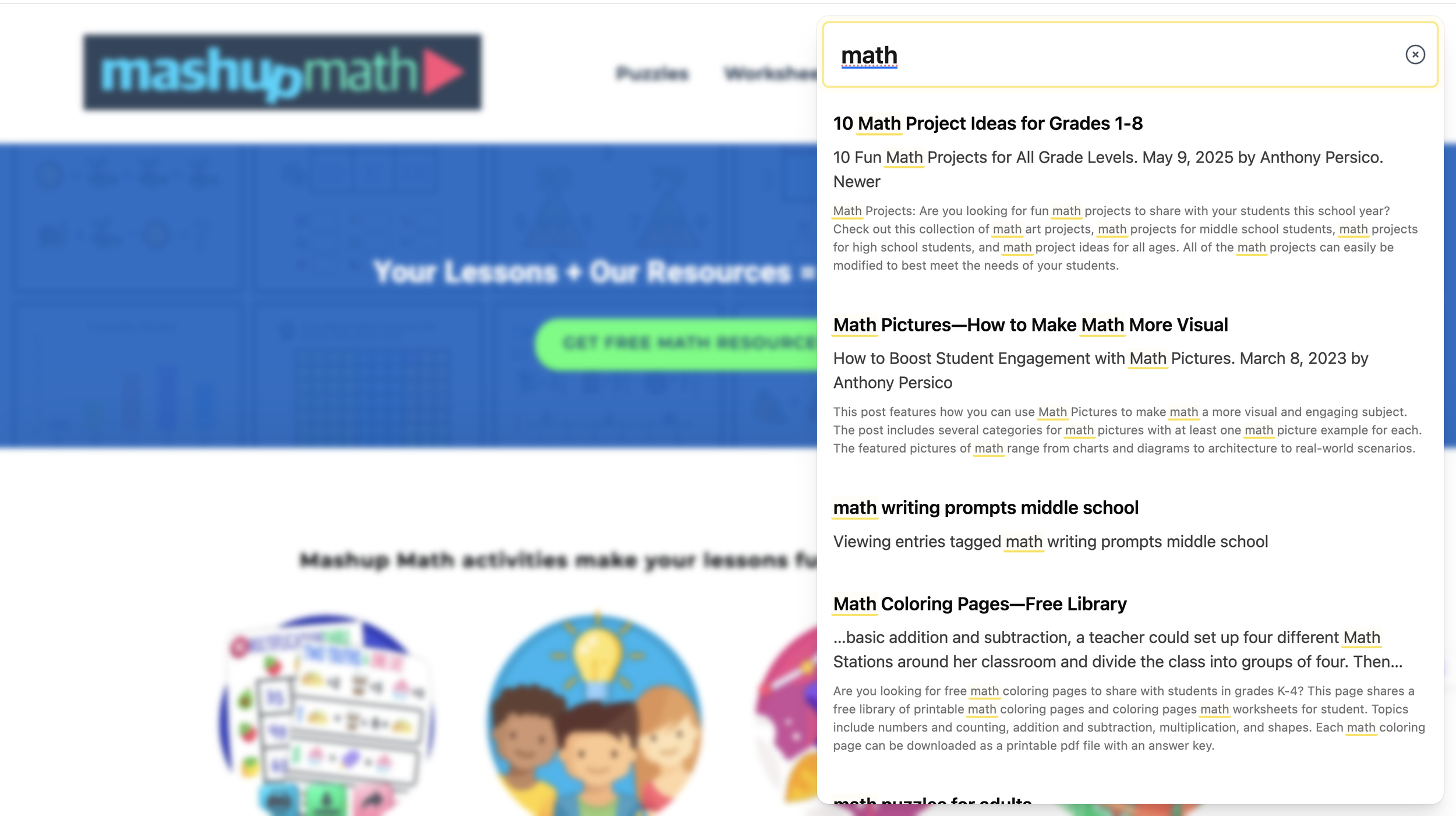
Mashup Math used Monocle to make their gated content, managed by MemberSpace, fully searchable for their paying members. This is a huge value-add that's not possible with Squarespace's native search and a fantastic way to give their community more for their money by making all of their exclusive content easy to find.
6. So Much Stuff
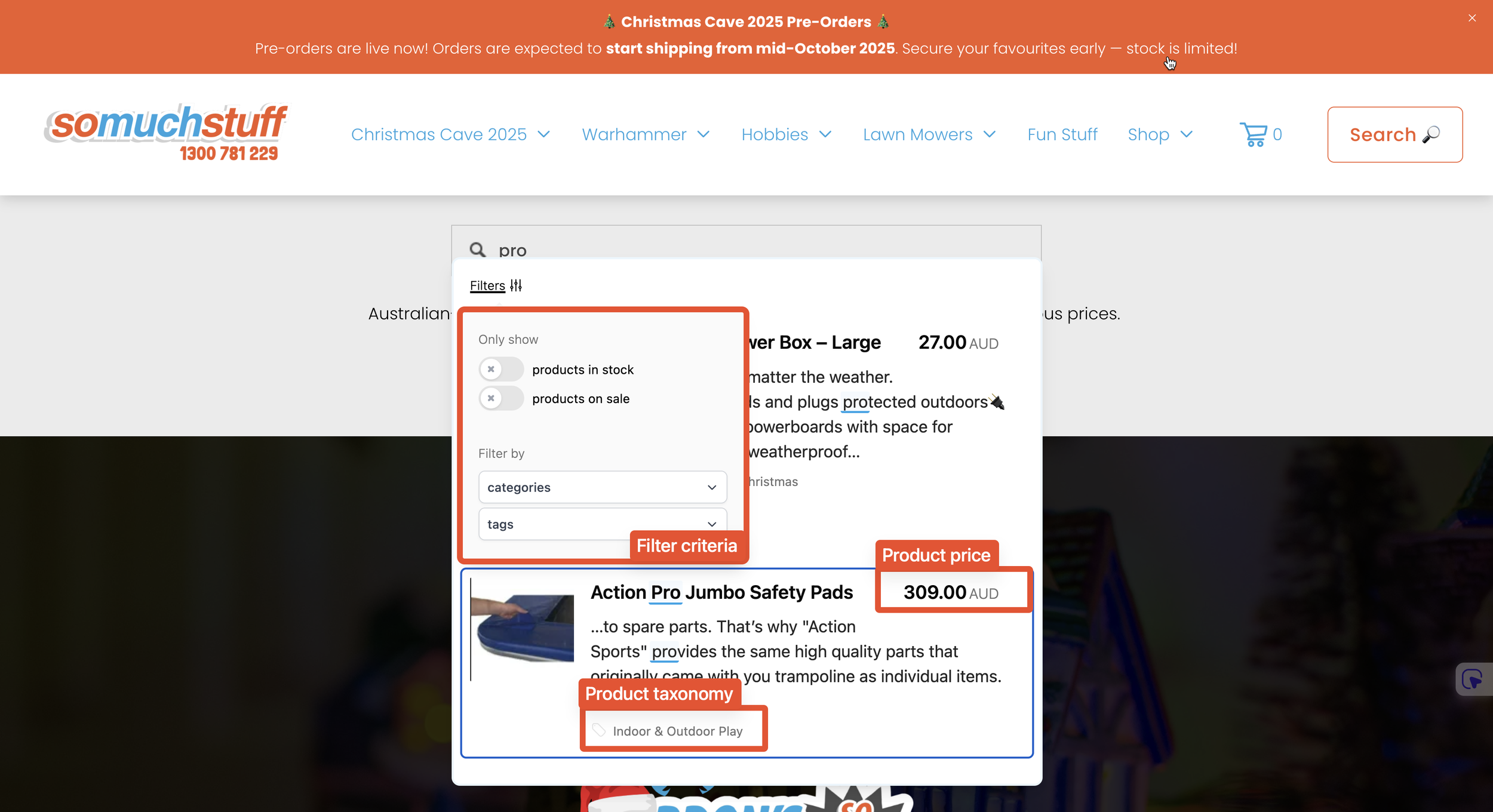
I was so impressed when I came across Somuchstuff. They use Monocle to create a product search with pictures and filters, making it incredibly easy for customers to navigate their large catalogue.
This feature is a game-changer for any eCommerce store, as Monocle’s advanced filters allow users to search by tags, pricing, and images. It's especially useful for sites with extensive product catalogs.
Monocle helps turn browsing into buying by letting customers filter for exactly what they need. They've even completely replaced the default Squarespace search page with Monocle's, showing just how much a powerful search bar can improve the entire user experience.
Key Takeaways
What I love about all of these websites is how they prove a simple point: the right tool can transform your site.
Functionality Drives Success. These websites prove you don’t have to settle. Adding a tool like Monocle is a key part of building a successful business on Squarespace, especially as your site grows.
The Right Tool for the Job. While Squarespace's built-in tools are good, a powerful site needs a powerful search solution.
A Better User Experience. A great search bar isn't just a feature—it's a way to reduce bounce rates and keep visitors engaged.
2026 Update: Expanding the Free Tier
In early 2026, the team behind Monocle reaffirmed their commitment to the Squarespace community by significantly upgrading their entry-level offering. Monocle has expanded its Free Forever tier to index up to 500 pages.
Conclusion
As you can see from these websites, the right tools can make all the difference. Monocle isn't just an upgrade for your site's search bar; it's a way to enhance your brand, your user experience, and ultimately, your business.
I can tell you from my own experience that the creators behind Monocle are incredible. On September 27, 2024, a script issue caused some websites to become unresponsive. Pages took over a minute to load, which was a huge problem. But I reported the issue and the creators fixed it within hours. That kind of commitment is rare, and it shows you how much they care about their users' success.
They even go one step further by promoting their users' sites in their "Through the Monocle" series. It's a great way to get a free backlink and prove to your own clients how much you care about their experience on the site.
In the end, you’re not just buying a plugin—you’re getting a partner in your business.
Ready to give your visitors a better search experience? Try Monocle Search today and see what it can do for your Squarespace site.

Experience seamless PDF search results. Now visitors can preview and browse PDF content directly in the search results page.
Note: Integrated with Lightbox Studio
→ Upgrade your PDF search experience